Article 21: How to understand your Reports Overview
How to understand your Reports Overview
Want to see how your laundry business is performing?
Snook's Reports Overview brings your income, expenses and completed laundry jobs together in one place, so you can see what's happening in your business without having to work everything out yourself.
Open your Reports Overview
Select Reports from the main menu.
Open the Overview tab.
Choose the reporting period you want to see.
You can choose This month, Last month, This financial year, Last financial year, Last 12 months, or Custom to select your own dates.
All figures on the Overview page update to reflect your selected period.
Understanding your figures
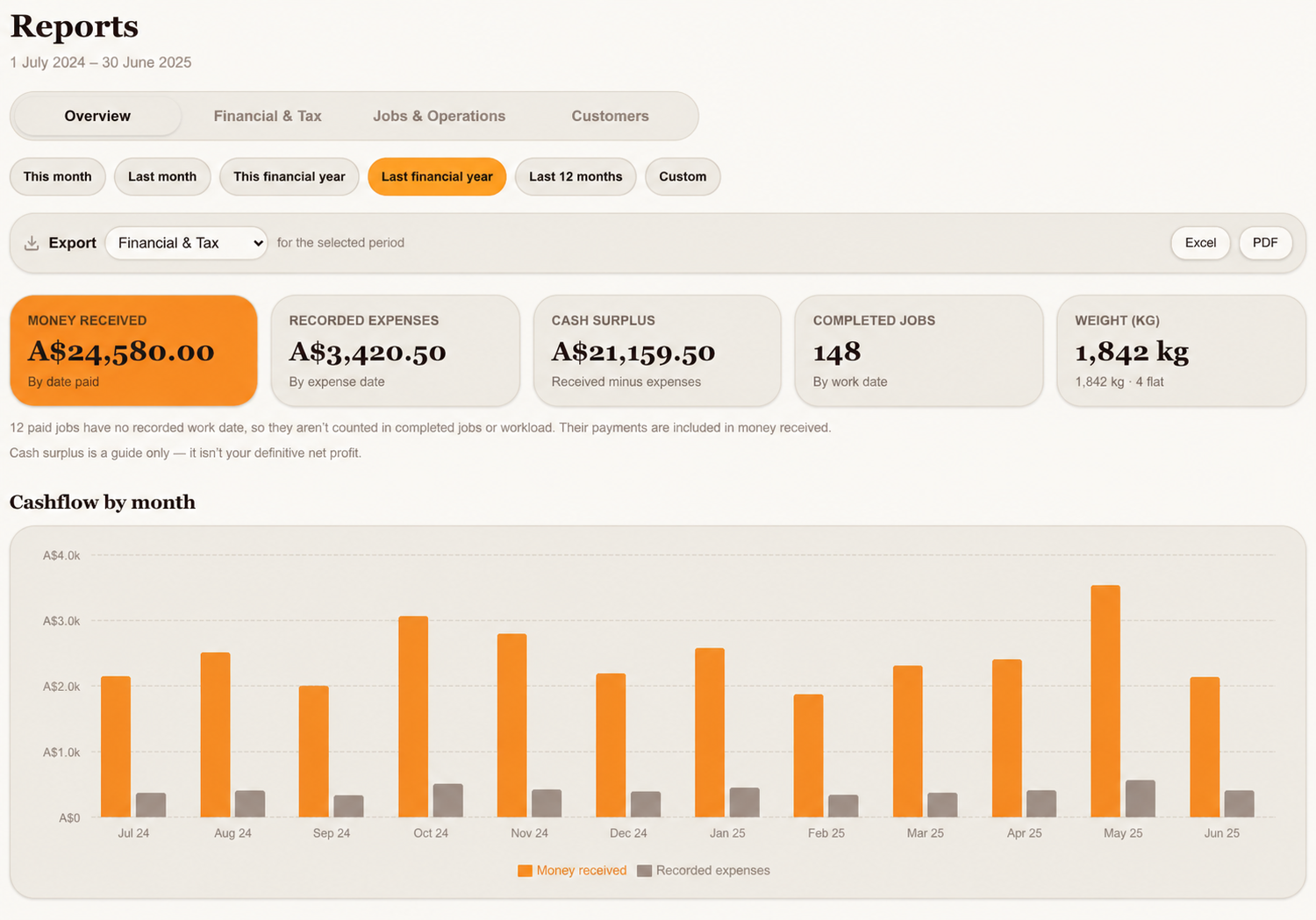
At the top of the page, you'll see five summary cards.
Money received
The total payments recorded during your selected period, based on the date each payment was made.
This means money received and work completed won't always fall within the same reporting period.
Recorded expenses
The total business expenses you've entered into Snook for that period, based on their expense dates.
If you haven't recorded your expenses, this figure may show $0 even though you've spent money running your business.
Cash surplus
Your recorded money received minus your recorded expenses.
This is a useful guide to your cash position, but it isn't necessarily your actual business profit. It only includes the information you've recorded in Snook.
Completed jobs
The number of completed jobs with a recorded work date within your selected period.
Weight (kg)
The total kilograms recorded for completed work in the selected period. Flat-rate services are shown separately where applicable.
Understanding your monthly cashflow chart
Below the summary cards, you'll find Cashflow by month.
This chart shows how much money you've received each month alongside your recorded business expenses.
It's a handy way to see which months brought in more money and how your spending compares.
If you haven't entered any expenses, you'll only see the money received figures.
Why your completed jobs might look lower than expected
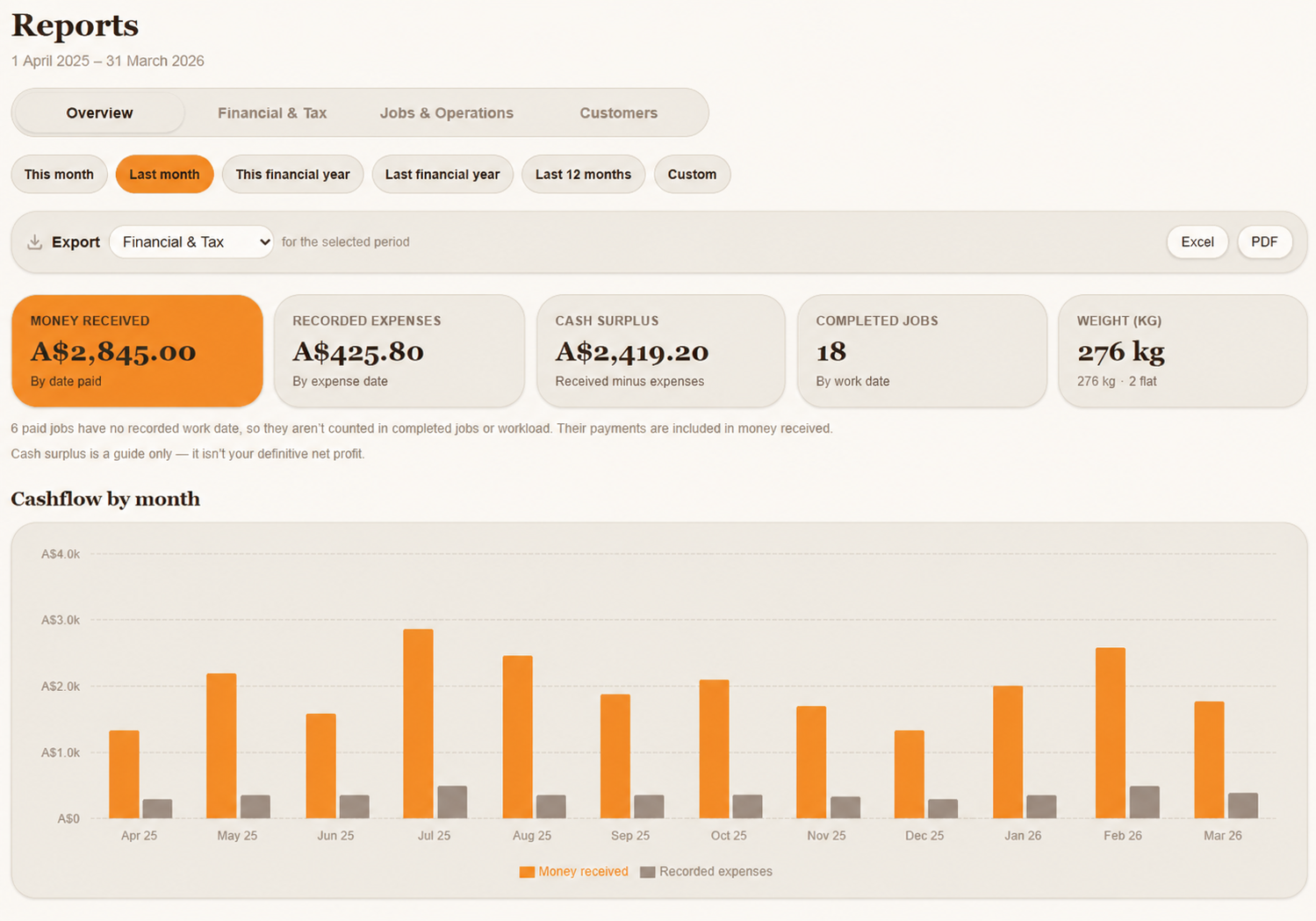
If you've imported historical records into Snook, you might notice that your Money received figure includes payments from jobs that aren't showing in Completed jobs.
This can happen when an imported job has a payment date but no recorded work date.
Snook still includes the payment in your financial figures, but it doesn't guess when the laundry work was completed.
You'll see a message on your Overview page if some paid jobs are missing work dates.
Your historical records haven't disappeared. They're simply being reported separately so your workload figures remain accurate.
Exporting your reports
You can download your detailed reports to keep a copy of your business records or share information with your accountant.
Open Reports.
Choose your reporting period.
Use the Export dropdown to select Financial & Tax, Jobs & Operations, or Customers.
Click Excel or PDF to download your selected report.
The Overview page itself isn't available as a separate export.
Need help?
Still need a hand? Email us at support@snookapp.au and we'll be happy to help.