Article 23: How to understand your Jobs & Operations report
How to understand your Jobs & Operations report
Want to know how much laundry you're actually getting through?
Your Jobs & Operations report shows how many jobs you've completed, how much laundry you've processed and how your collection and delivery service is performing.
It can help you understand your workload and see how your business is growing.
Open your Jobs & Operations report
Select Reports from the main menu.
Open the Jobs & Operations tab.
Choose the reporting period you want to review.
You can select this month, last month, this financial year, last financial year, the last 12 months or a custom date range.
Understanding your job figures
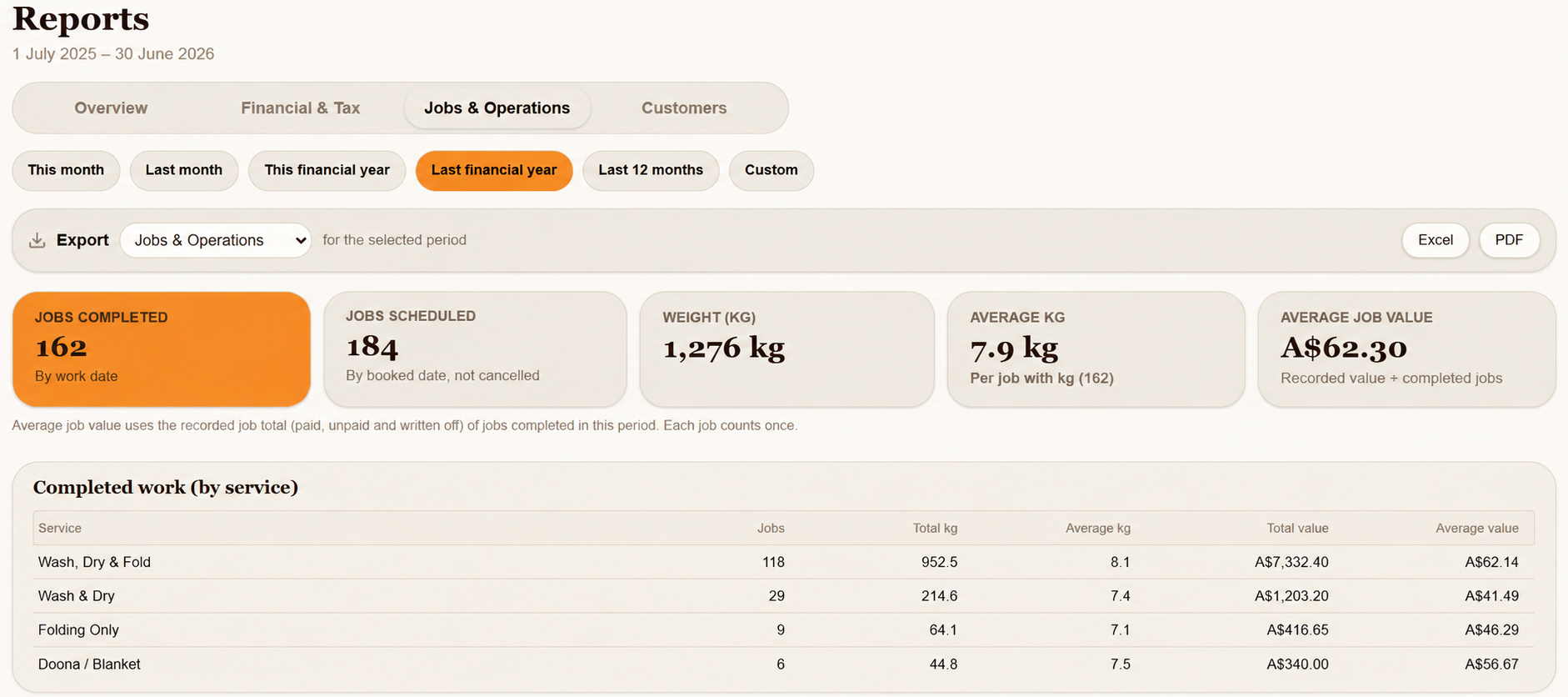
At the top of the report, you'll see five summary cards.
Jobs completed
The number of completed jobs with a recorded work date during your selected period.
Jobs scheduled
The number of jobs booked for the selected period, based on their booked dates. Cancelled jobs aren't included.
Weight (kg)
The total kilograms recorded for completed work during the selected period.
Average kg
The average kilograms per completed job that has a recorded weight.
Average job value
The average recorded value of jobs completed during the selected period.
This includes paid, unpaid and written-off amounts, rather than just payments received.
Each completed job is counted once.
Understanding your completed work
Below the summary cards, Snook shows a breakdown of the completed laundry work recorded during your selected period.
This helps you see which services make up your workload.
If no completed jobs have a recorded work date within the selected period, you'll see a message saying there's no completed work to display.
Pickup & delivery
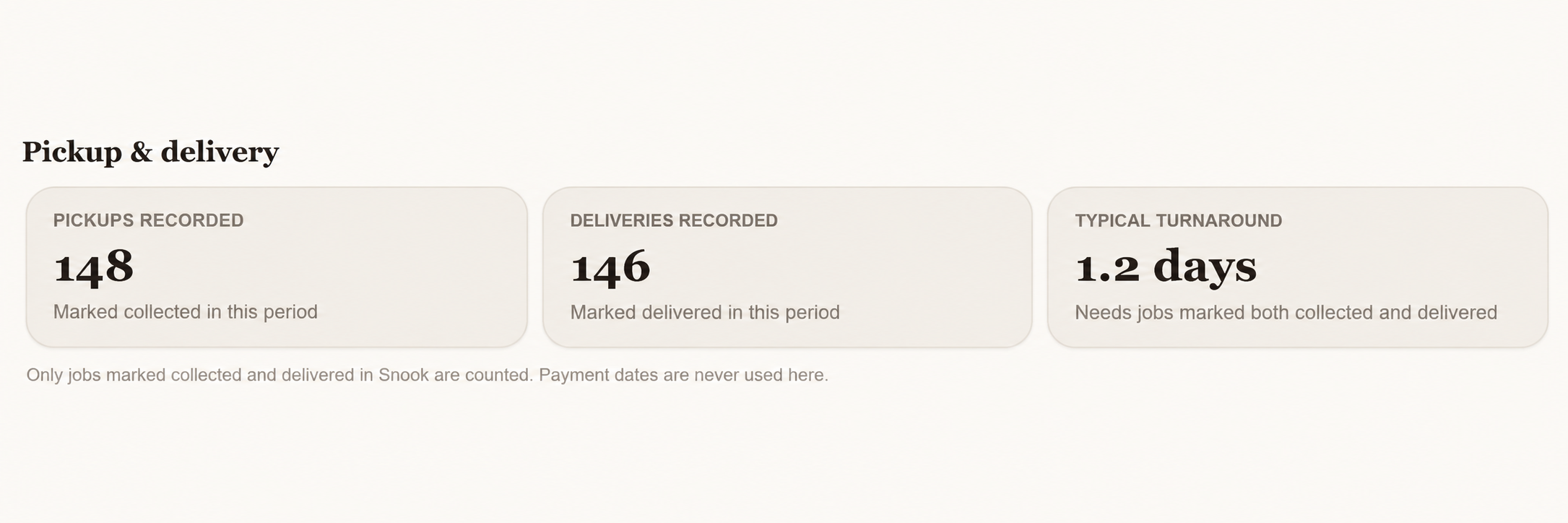
This section helps you understand how your collection and delivery service is performing.
Pickups recorded
The number of jobs marked as collected during the selected period.
Deliveries recorded
The number of jobs marked as delivered during the selected period.
Typical turnaround
The typical time between collection and delivery, based on jobs where both events have been recorded.
If you haven't marked jobs as collected and delivered in Snook, your turnaround figure may be unavailable.
These figures use the collection and delivery information recorded in Snook, not the dates customers paid their invoices.
Historical jobs without a work date
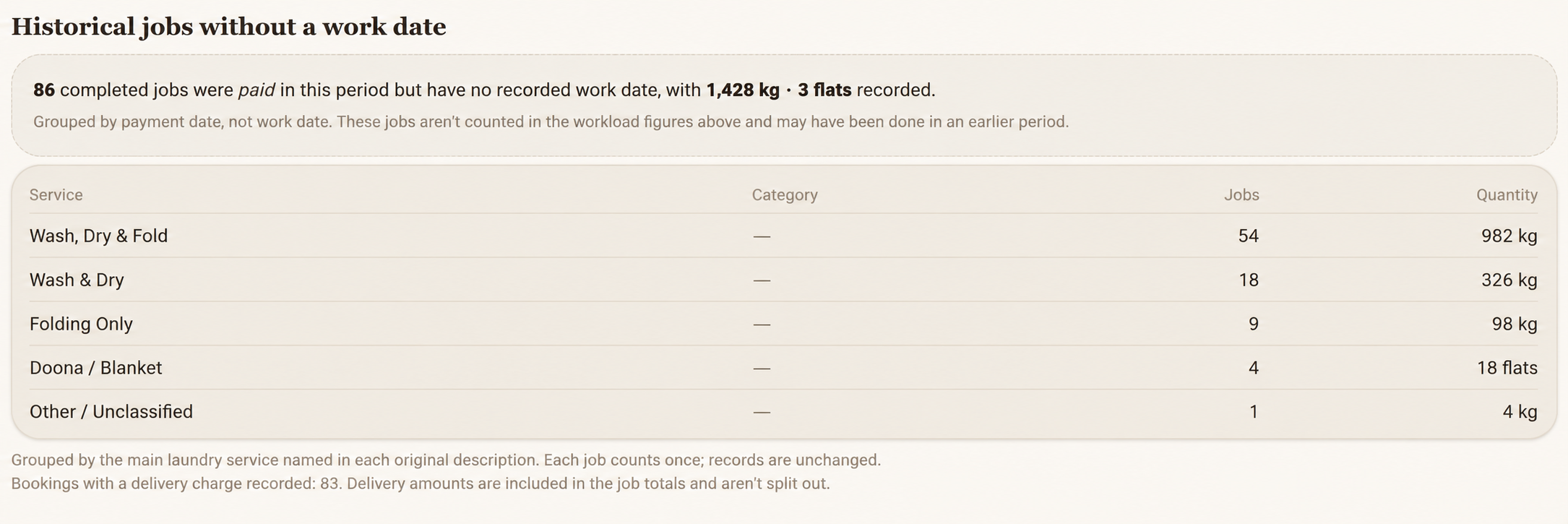
If you've imported previous business records into Snook, you may see a section called Historical jobs without a work date.
This section shows paid jobs that have a payment date but no recorded work date.
Snook groups these jobs by their laundry service and shows the number of jobs and quantities recorded.
For example, you might see historical Wash, Dry & Fold jobs with their total kilograms, even though those jobs aren't included in the completed-work figures above.
This doesn't mean the jobs are missing.
Snook includes their payments in your financial reports but doesn't assume the laundry was completed on the payment date.
Keeping historical jobs separate helps prevent your workload figures from being misleading.
Download your Jobs & Operations report
Open Reports.
Choose your reporting period.
Select Jobs & Operations from the Export dropdown.
Click Excel or PDF to download your report.
Need help?
Still need a hand? Email us at support@snookapp.au and we'll be happy to help.