Article 15: How to set up repeat bookings
How to set up repeat bookings
Have a customer who books their laundry collection every week or fortnight?
Instead of creating each booking individually, you can set up a repeat booking in Snook.
Set up a repeat booking
Open Jobs.
Select the customer's existing booking.
Scroll down to Regular customer?
Select Make repeat.
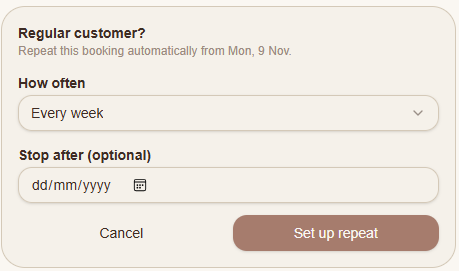
Under How often, choose how frequently the booking should repeat.
If you only want the bookings to continue until a certain date, enter a date under Stop after (optional).
Select Set up repeat.
Snook will use the existing booking as the starting point for the repeat schedule.
Do repeat bookings need an end date?
No. The Stop after field is optional.
If you want a customer's regular booking to continue without a set end date, you can leave this field blank.
If their arrangement is temporary, you can enter the date you want the repeat schedule to stop.
Need help?
Still need a hand? Email us at support@snookapp.au and we'll be happy to help.