Article 34: How to connect Square to accept card payments
How to connect Square to accept card payments
Already using Square for your laundry business? You can connect your existing Square account to Snook so customers can pay their invoices online by card.
Payments are processed through Square, and the money goes directly to your Square account.
Connect your Square account
Sign in to Snook.
Go to More → My Business.
Scroll down to Accept online payments.
Find the Square section.
Click Connect Square.
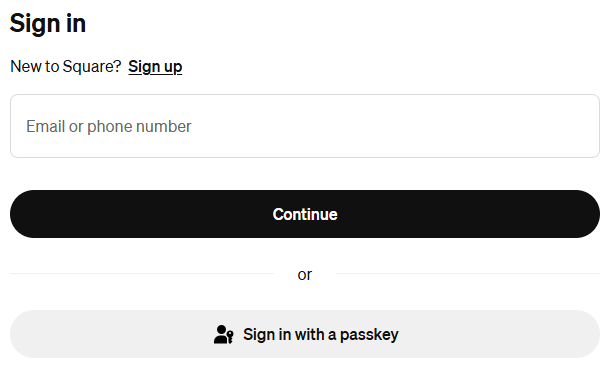
You'll be taken to Square's sign-in page.
Enter your Square account details and follow the prompts to sign in.
If you don't already have a Square account, you can select Sign up on Square's sign-in page.
Once your account has been connected, you'll return to Snook.
Check your connection
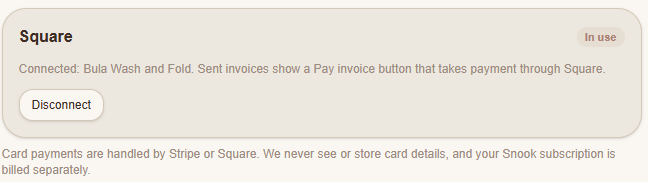
Under More → My Business → Accept online payments, the Square section will display your connected business name.
You'll also see an In use status when Square is your active payment provider.
This confirms Square is connected and ready to accept invoice payments.
How customers pay through Square
Once Square is connected, invoices sent through Snook can include a Pay invoice button.
When a customer clicks the button, they're taken to Square to complete their card payment.
Square processes the payment, and the funds go to your connected Square account.
You don't need to manually create a separate Square invoice for the same job.
Does Snook charge a commission?
Snook doesn't take a commission from your Square payments.
Square's own payment processing fees may apply.
Your Snook subscription is billed separately from your customer payments.
How to disconnect Square
If you no longer want to accept payments through Square:
Go to More → My Business.
Scroll down to Accept online payments.
Find your connected Square account.
Click Disconnect.
Only disconnect your account if you no longer want to use Square for customer invoice payments.
Need help?
Having trouble connecting Square to Snook? Email us at support@snookapp.au and we'll be happy to help.