Article 18: How customers can pay their invoices
How customers can pay their invoices
Snook lets you offer customers online card payments through Square or Stripe, or provide your own payment instructions.
Your customers can open their invoice and see the payment options you've made available.
Accept card payments
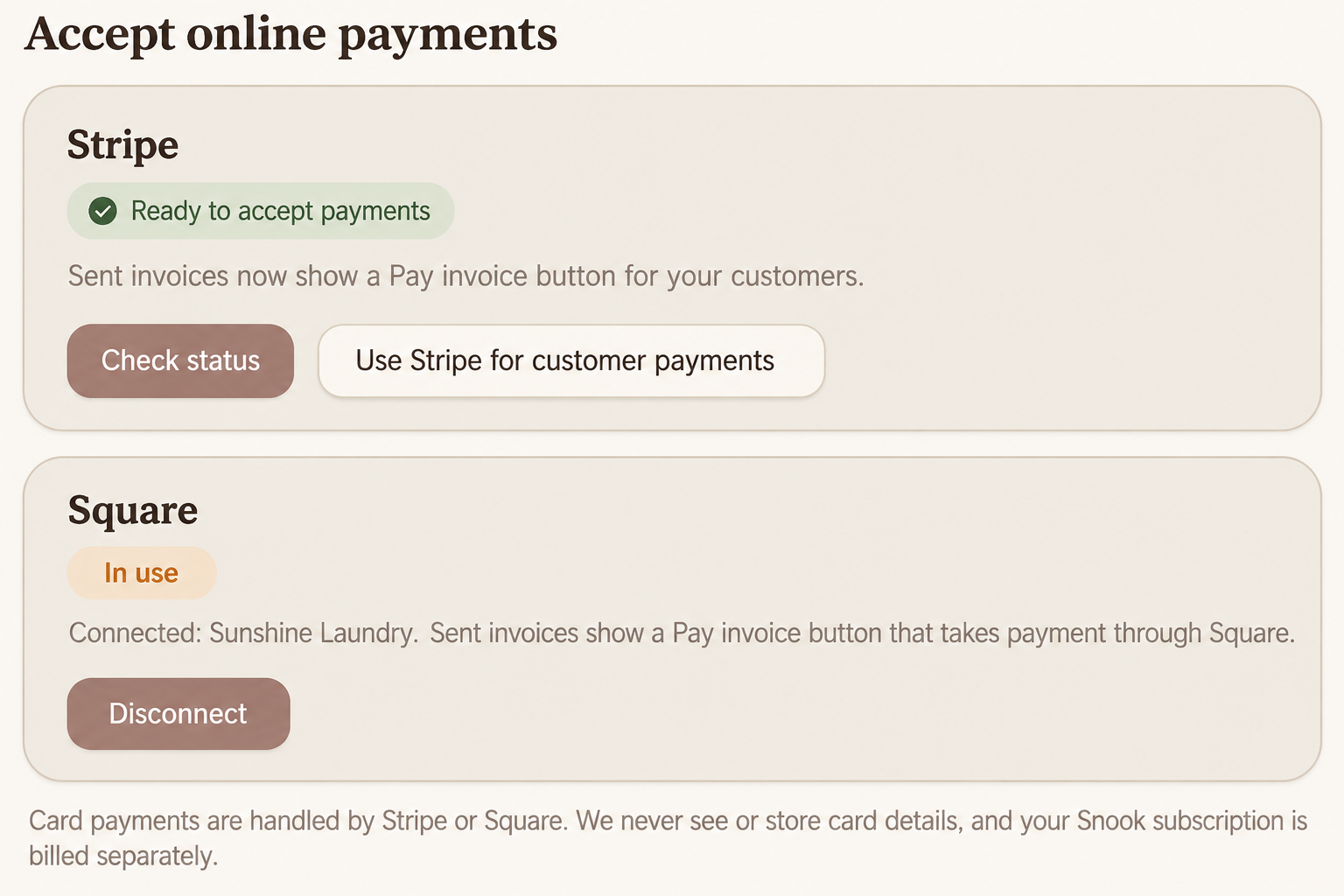
To accept online card payments, you'll need to connect a supported payment provider.
Open My Business.
Scroll to Accept online payments.
Choose Stripe or Square.
Follow the instructions to connect or complete your payment account.
Check that your payment account is ready to accept payments.
Once your payment provider is connected and ready, eligible unpaid invoices can display a secure card payment option.
Customers can pay through the payment provider without giving their card details directly to Snook.
Offer bank transfer
If you accept bank transfers, you can add your payment details to your invoices.
Open My Business.
Scroll to Booking page & invoices.
Find How customers can pay you.
Enter your bank transfer instructions, including your account name, BSB and account number.
Select Save.
Your payment instructions will appear on unpaid customer invoices.
What does the customer see?
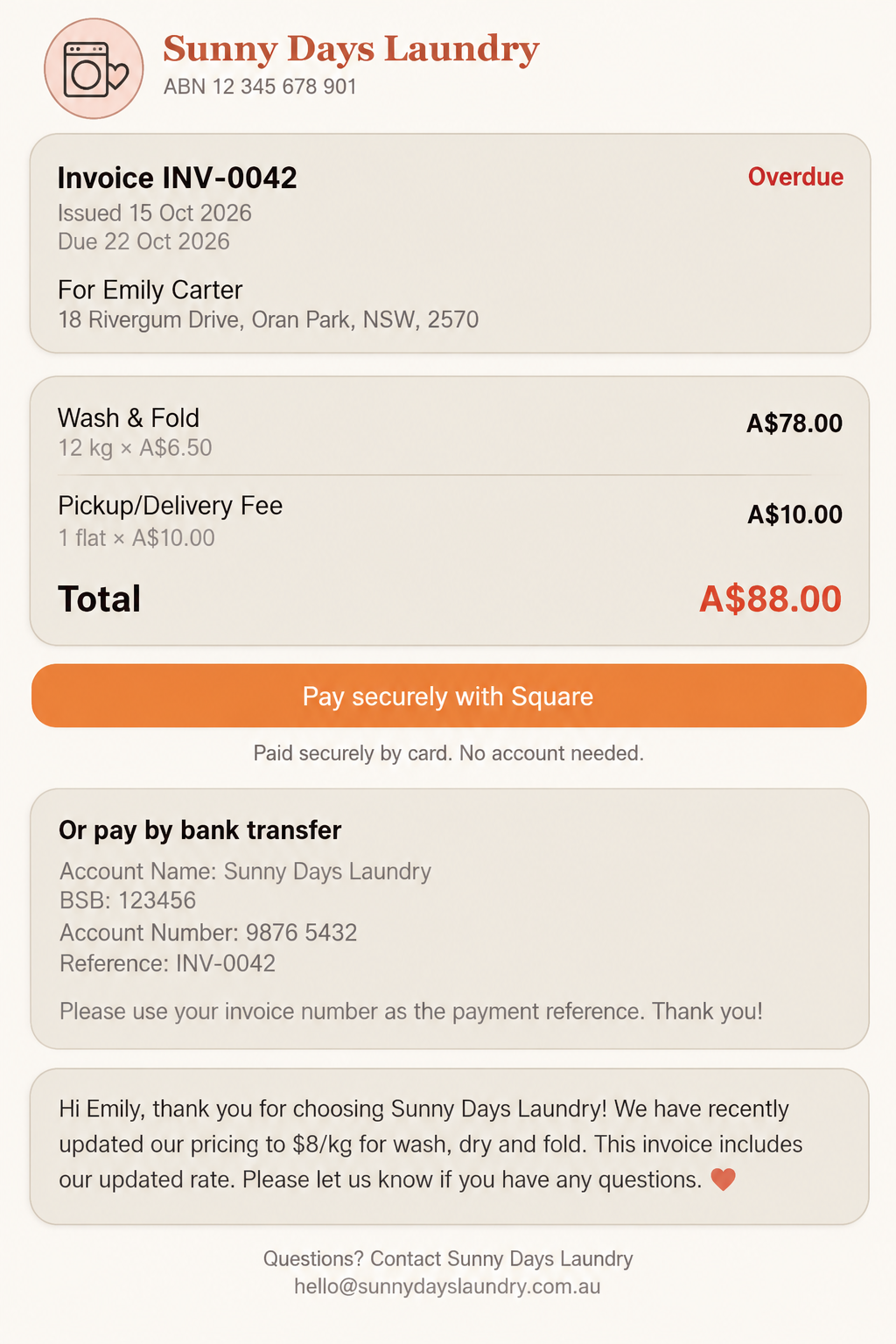
When a customer opens an unpaid invoice, they'll see their laundry business's details, the services charged and the amount owing.
If Square is connected, they may see a Pay securely with Square button.
If you've added bank transfer instructions, those can appear underneath.
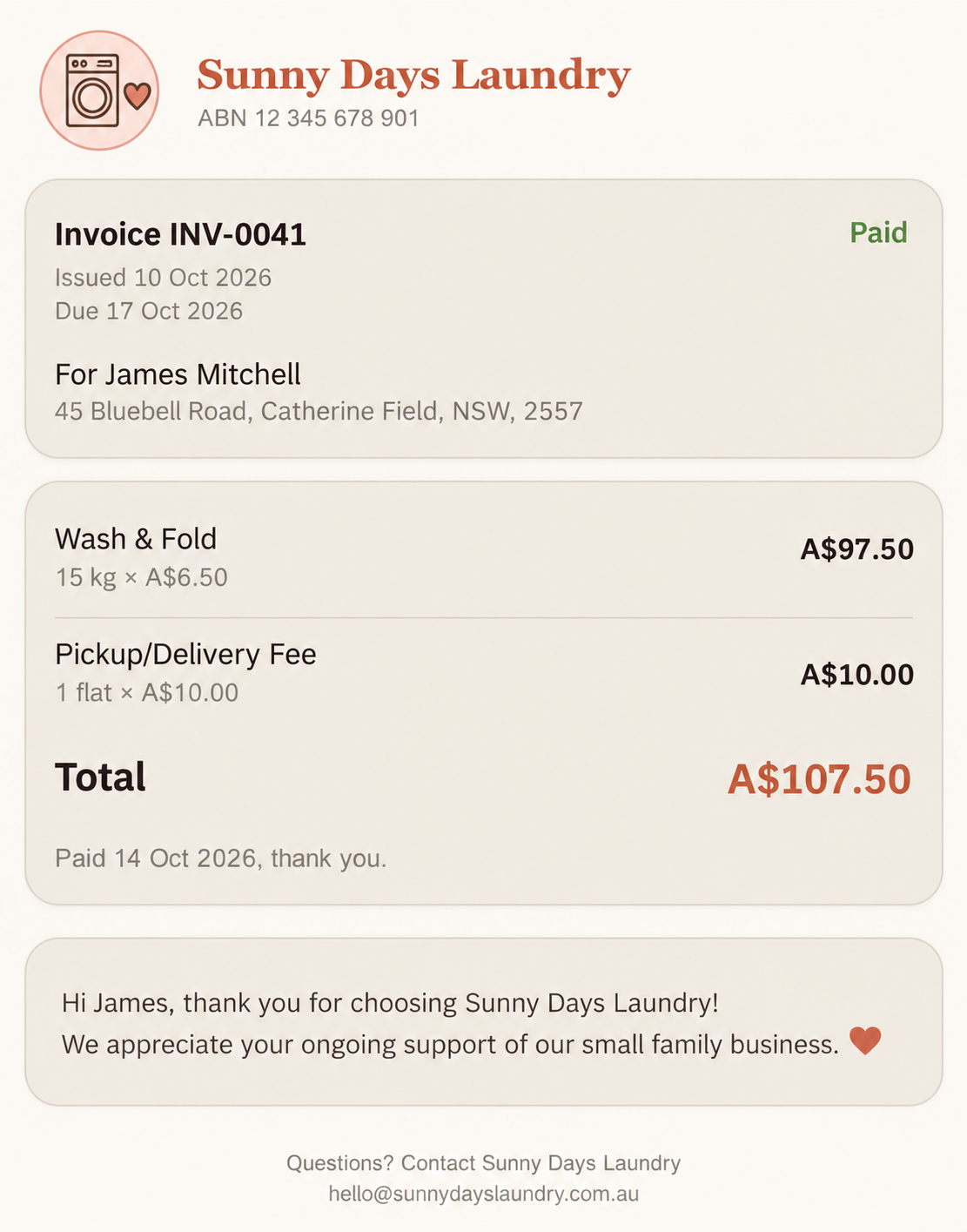
Once an invoice has been marked as paid, the customer-facing invoice displays its Paid status instead of the payment options.
Unpaid Invoice
Paid Invoice
Where does the money go?
Payments made through Square go to your connected Square account.
Payments made through Stripe are handled by your connected Stripe payment account.
Snook doesn't store your customers' card details or charge a commission on these payments. Your payment provider's usual processing fees may still apply.
Your Snook subscription is billed separately from your customers' invoice payments.
Need help?
Still need a hand? Email us at support@snookapp.au and we'll be happy to help.