Article 5: How to set your daily capacity
How to set your daily capacity
Snook lets you set a comfortable daily workload so you can keep track of how much laundry you're taking on.
These settings are guides, not strict booking limits.
Set your daily limits
Open More → My Business.
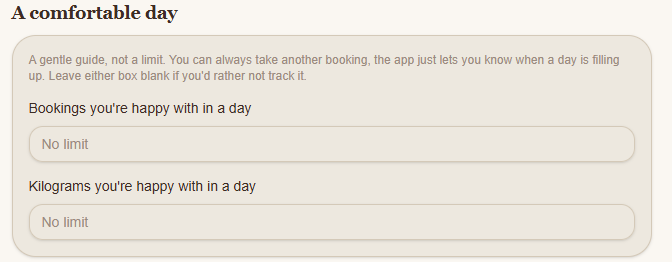
Scroll to A comfortable day.
Enter your preferred limits:
Bookings you're happy with in a day
The number of laundry bookings you'd ideally like to manage each day.
Kilograms you're happy with in a day
The total weight of laundry you'd ideally like to process each day.
You can use either setting, both settings or leave them blank if you don't want to track a particular limit.
What happens when you reach your capacity?
Snook uses these figures to help you recognise when a day is becoming full.
Reaching your preferred capacity doesn't automatically prevent you from accepting more work. You can still decide whether to take on another booking.
If you want to restrict how many customers can book a particular collection time, use the booking limits under Pickup days and times instead.
Save your changes
Scroll to the bottom of My Business and select Save.
You'll see a confirmation message when your settings have been saved.
Need help?
Email us at support@snookapp.au and we'll be happy to help.