Article 6: How to navigate Snook
How to navigate Snook
Snook brings your laundry bookings, customers, jobs and business finances together in one place.
You can use it on your computer, tablet or phone. The layout adjusts to your screen, but your business information stays in the same account.
Your home dashboard
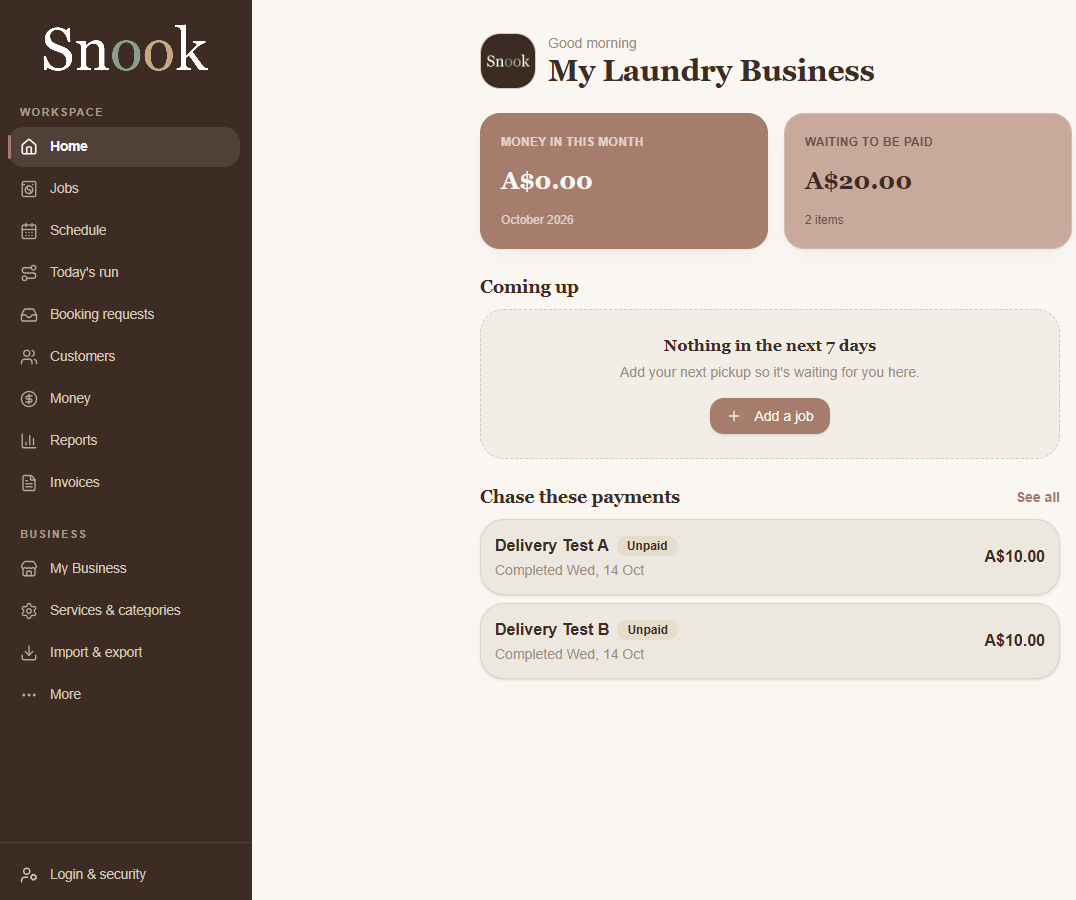
When you sign in, you'll arrive at Home.
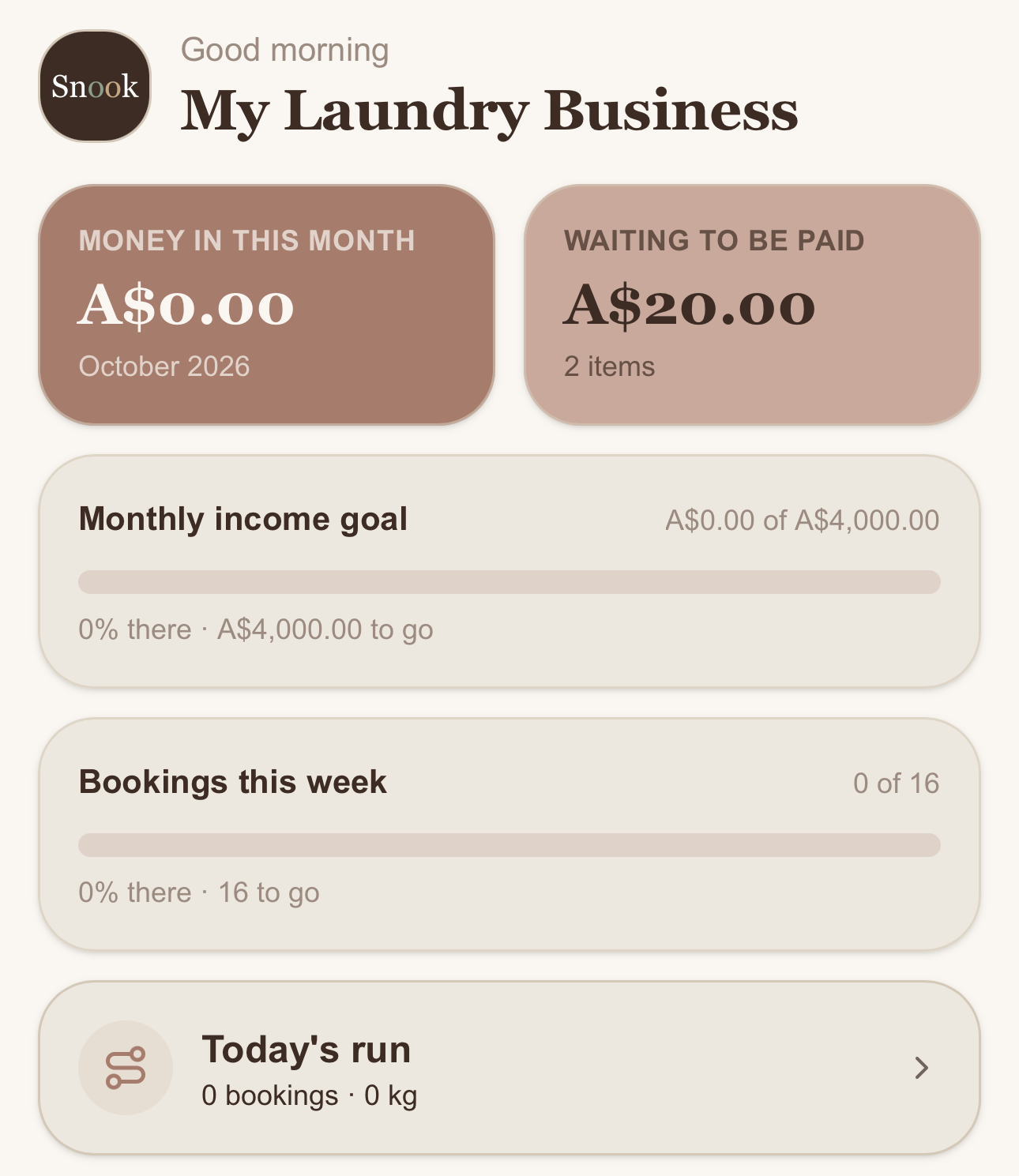
Your dashboard gives you a quick overview of your laundry business, including:
Money in this month: Your recorded income for the current month.
Waiting to be paid: Money still outstanding from unpaid jobs and invoices.
Today's run: Your scheduled collections and deliveries.
Coming up: Jobs scheduled over the next seven days.
Chase these payments: Jobs that still need payment.
Goals: Your progress towards your business targets.
You can also use the New job button to start creating a laundry job.
Navigating Snook on a computer
On desktop, you'll find the main navigation menu down the left side of your screen.
From here, you can access:
Jobs: Create and manage laundry jobs.
Schedule: View upcoming work.
Today's run: Organise your collections and deliveries.
Booking requests: Review customer booking requests.
Customers: Manage customer information.
Money: Access your business money tools.
Reports: Review business performance.
Invoices: Create and manage customer invoices.
My Business: Update your business settings.
Services & categories: Manage your services, prices and expense categories.
Import & export: Bring existing records into Snook or export your data.
More: Access additional features and settings.
Navigating Snook on your phone
On mobile, you'll find a navigation bar along the bottom of your screen.
The main options are:
Home: Your business overview.
Jobs: Your laundry jobs.
Schedule: Your upcoming work.
Customers: Your customer list.
Money: Your business money tools.
More: Additional features and settings.
Select More to access features that aren't displayed in the bottom navigation bar.
You can scroll down your Home dashboard to see upcoming jobs, outstanding payments and other business information.
Quick actions
Your Home dashboard also provides shortcuts to commonly used features.
On desktop, these appear under Quick actions.
On mobile, you'll find shortcuts and tappable sections throughout your dashboard.
Need help?
Still need a hand? Email us at support@snookapp.au and we'll be happy to help.