Article 4: How to manage your booking availability
How to manage your booking availability
Snook gives you control over how customers book laundry collections, how much notice you need and which dates you're unavailable.
You can change these settings whenever your business schedule changes.
Choose how customers book
Open More → My Business.
Scroll to Booking page & invoices.
Find How customers book.
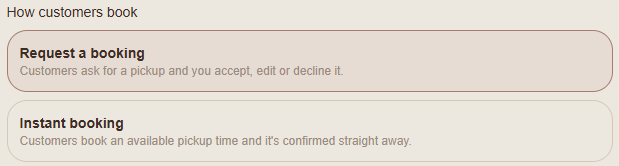
You'll see two options:
Request a booking
Customers submit a booking request for you to review. You can accept, edit or decline the request before confirming their booking.
Instant booking
Customers can book an available collection time without waiting for you to manually approve the request.
Choose the option that suits how you prefer to manage bookings.
Set your booking notice
Under your booking settings, you'll find:
Earliest pickup (days ahead)
This controls how much notice customers must give before their collection.
For example, entering 1 means the earliest available pickup date is tomorrow.
Book up to (days ahead)
This controls how far into the future customers can book.
For example, entering 28 allows bookings up to 28 days ahead.

Close dates when you're unavailable
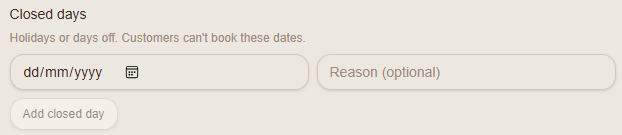
Use Closed days to block dates when you aren't accepting collections.
Find the Closed days section.
Select the date you want to close.
Enter a reason if you'd like, such as Holiday.
Select Add closed day.
Closed dates won't be offered to customers on your public booking page.
You can remove a closed date when you want to make it available again.
Save your changes
Scroll to the bottom of My Business and select Save.
Snook will display a confirmation message once your changes have been saved.
Your public booking page will then use your updated settings.
Need help?
Email support@snookapp.au if you need assistance.