Article 33: How to export your business data
How to export your business data
Your business records belong to you, and Snook makes it easy to download a copy whenever you need one.
Whether you're preparing information for your accountant, reviewing your business activity or keeping a backup of your records, you can export your data directly from Snook.
You can download everything together in an Excel file or choose individual records as CSV files.
Where to find your data exports
Sign in to Snook.
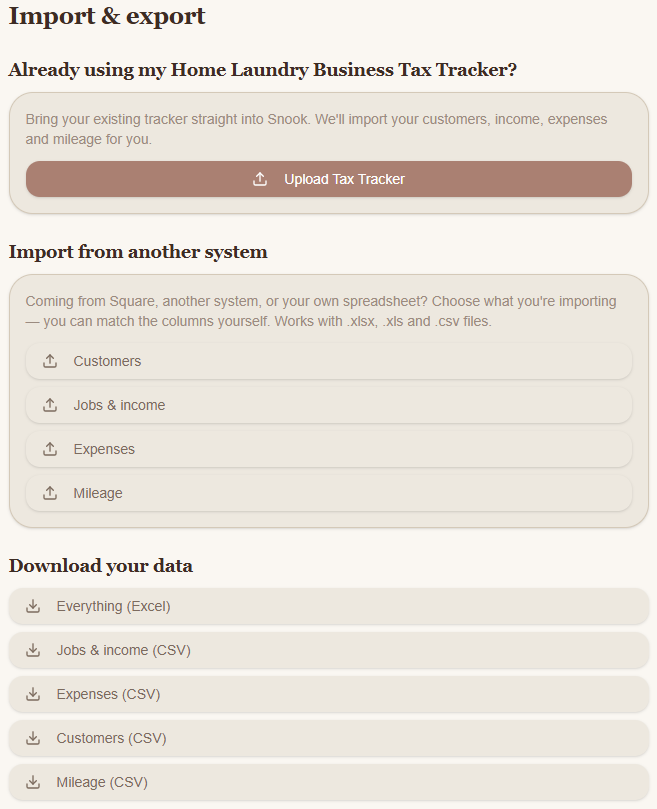
Go to More → Import & export.
Scroll down to Download your data.
You'll see the available download options.
Download all your business data
If you'd like a copy of your business records in one file:
Under Download your data, click Everything (Excel).
Snook will generate and download an Excel file.
Open the downloaded file using Microsoft Excel or another compatible spreadsheet application.
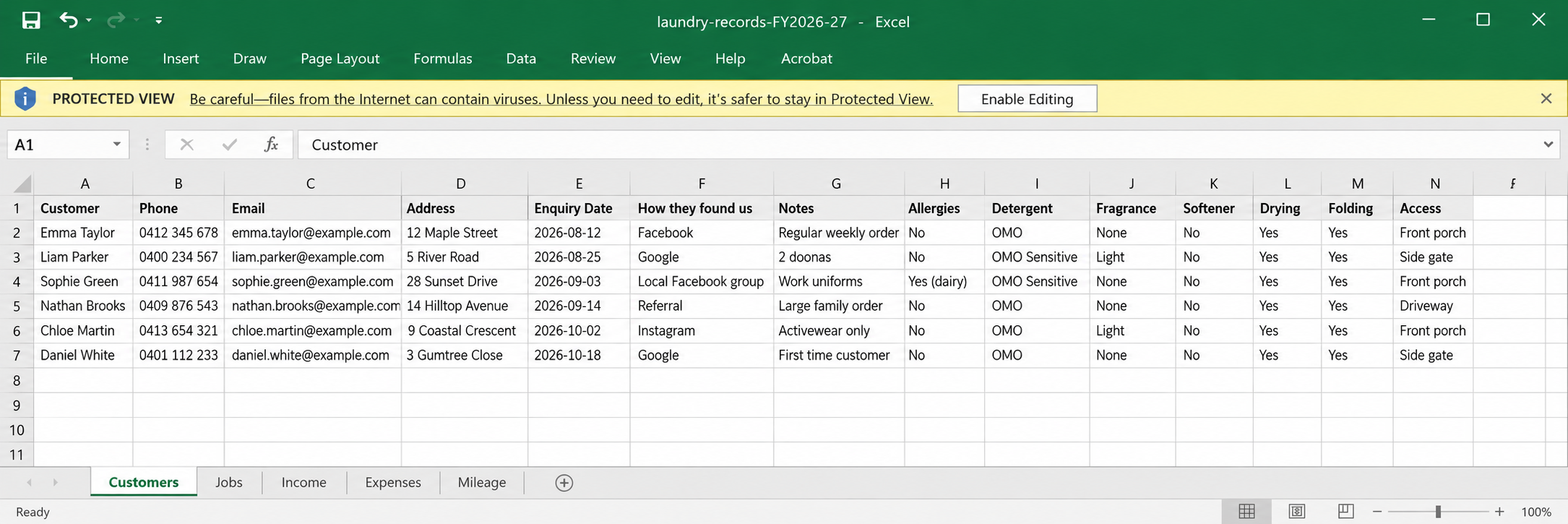
Your downloaded file contains your exported business records, which you can save for your own records or share with your accountant.
The filename may include the financial year, making it easier to organise your records.
Download individual business records
You don't have to download everything at once.
Snook also lets you export specific records:
Jobs & income (CSV): Your job and income records.
Expenses (CSV): Your recorded business expenses.
Customers (CSV): Your customer information.
Mileage (CSV): Your recorded business trips and kilometers.
Simply click the download option you need.
Snook will download a CSV file that you can open in Excel or another compatible spreadsheet application.
What's the difference between Excel and CSV?
Excel (.xlsx) files are useful when you want your business information together in a spreadsheet workbook.
CSV (.csv) files contain spreadsheet data in a simpler format. They're useful for reviewing individual records or importing information into other compatible systems.
Both formats can be opened using Microsoft Excel.
Can I download my reports instead?
Yes. Snook also offers downloadable reports in the Reports section.
These are different from your business data exports.
Your data exports give you copies of your underlying business records, while reports help you review and understand your business performance.
Depending on the report, you can download it in Excel or PDF format.
Keeping your exported data safe
Your exports may contain customer names, contact details, addresses and financial information.
Store downloaded files somewhere secure and only share them with people who need access, such as your accountant.
You can return to Import & export whenever you need another copy of your records.
Need help?
Having trouble downloading your business data? Email us at support@snookapp.au and we'll be happy to help.