Article 11: How to record customer contact history
How to record customer contact history
Ever had someone enquire about your laundry service, then forgotten whether you followed up with them?
Snook lets you keep a record of customer conversations, so you know what was discussed and where things were left.
Log a customer conversation
Open Customers.
Select the customer you want to update.
Under Contact history, select Log contact.
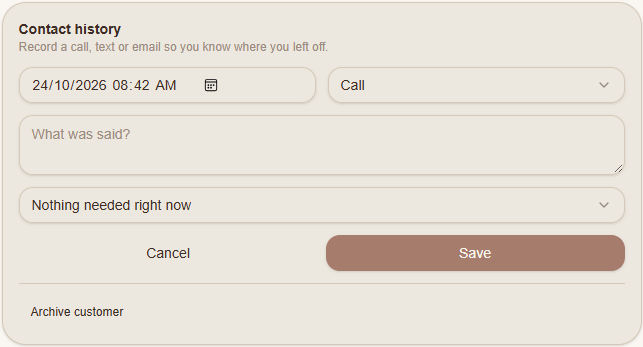
Check the date and time, or change them if you're recording an earlier conversation.
Choose the contact method, such as Call, Text or Email.
Under What was said?, write a short summary of the conversation.
Choose the appropriate follow-up option from the dropdown.
Select Save.
Your contact record will be saved to the customer's profile.
Keep track of follow-ups
Use contact history to record things like a customer asking for pricing, requesting a callback or saying they'll book at a later date.
Even a short note can help you remember what happened without having to search through old messages.
Need help?
Still need a hand? Email us at support@snookapp.au and we'll be happy to help.