Article 12: How to manage booking requests
How to manage booking requests
When your business uses Request a booking mode, customers can request a laundry collection through your public Snook booking link.
You can review each request before deciding whether to accept it.
Find your booking requests
Open Booking requests from the Snook menu.
Look under Waiting for you to see new requests.
Select the request you want to review.
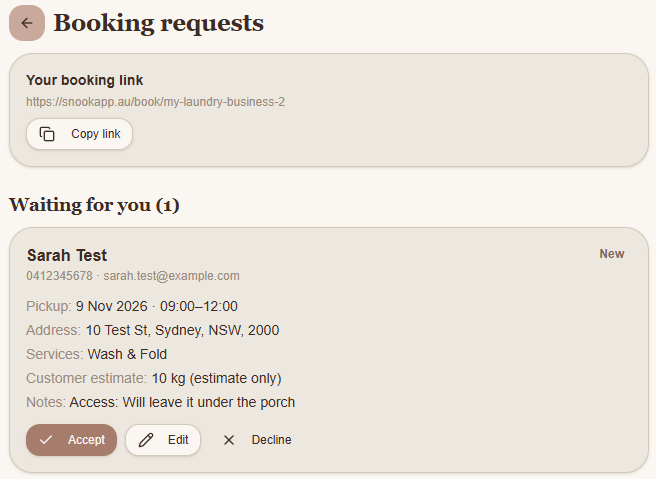
Each request shows the customer's contact details, requested pickup date and time, address, selected services, estimated laundry weight and any notes they've provided.
Accept a booking
If you're happy with the requested details, select Accept.
Snook will confirm the booking and add it to your upcoming jobs.
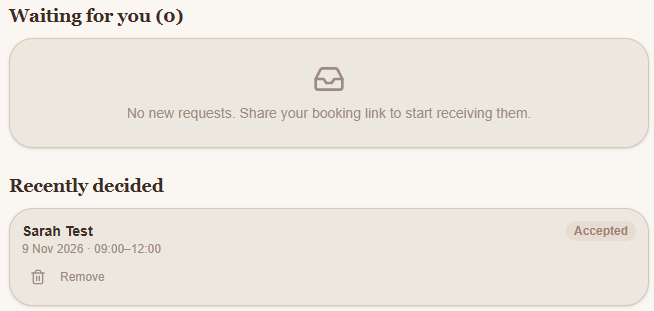
The request will move from Waiting for you to Recently decided, where you'll see its accepted status.
Edit a request before accepting
Sometimes you may need to change the pickup arrangements before confirming a booking.
Find the request under Waiting for you.
Select Edit.
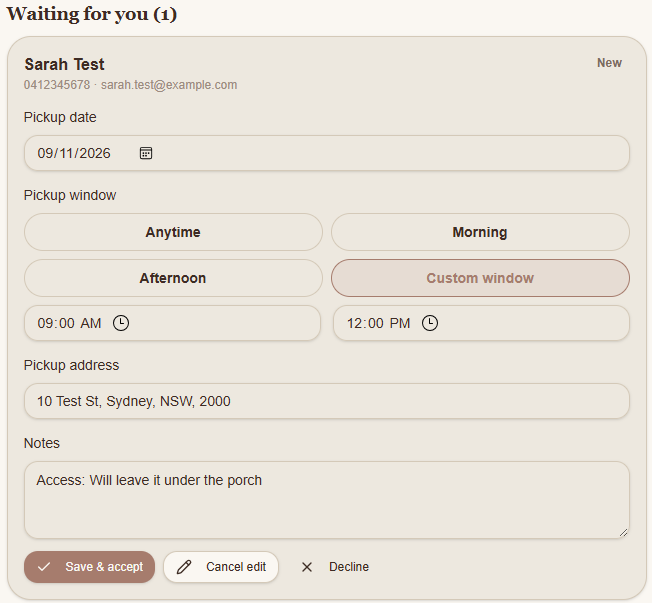
Adjust the pickup date, time window, address or notes as needed.
Select Save & accept.
The booking will be accepted using the updated details.
Decline a request
If you're unable to take a booking, select Decline on the request.
Find an accepted booking
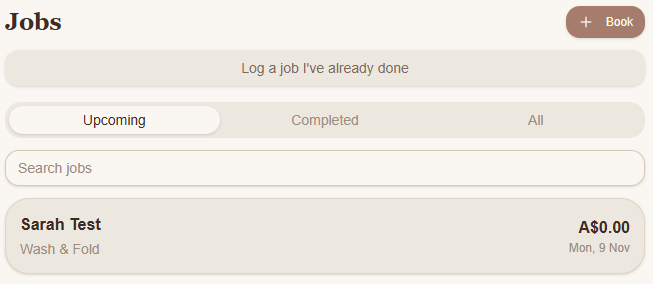
Once accepted, the booking appears under Jobs → Upcoming.
You can open the job to manage the laundry as it progresses.
Using Instant booking? Customers booking an available pickup slot receive confirmation without waiting for you to manually accept their request.
Need help?
Still need a hand? Email us at support@snookapp.au and we'll be happy to help.