Article 9: How to add a new customer
How to add a new customer
You can save your customers' contact details, addresses and laundry preferences in Snook, so everything you need is available when managing their bookings.
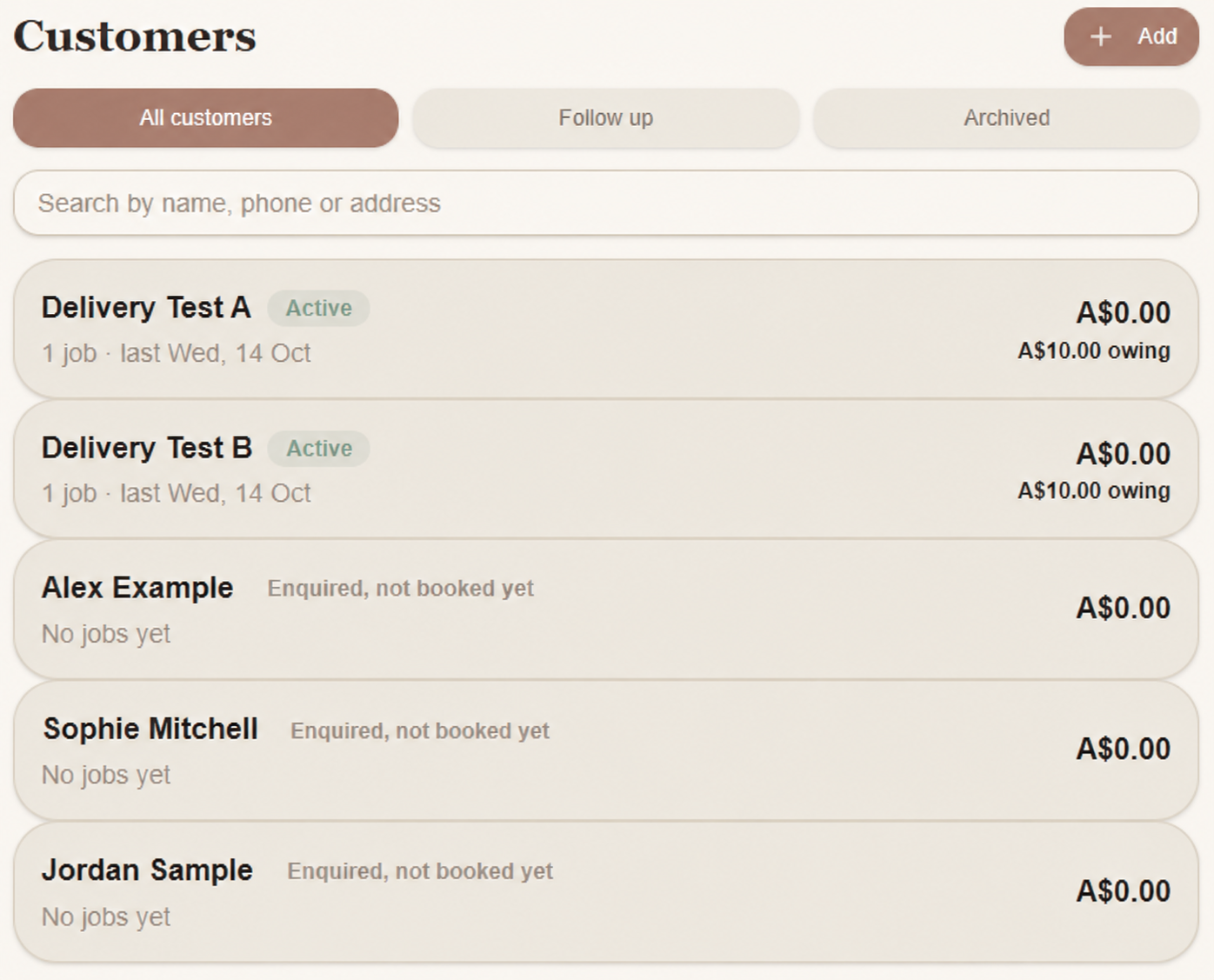
Add a customer
Open Customers.
Select + Add.
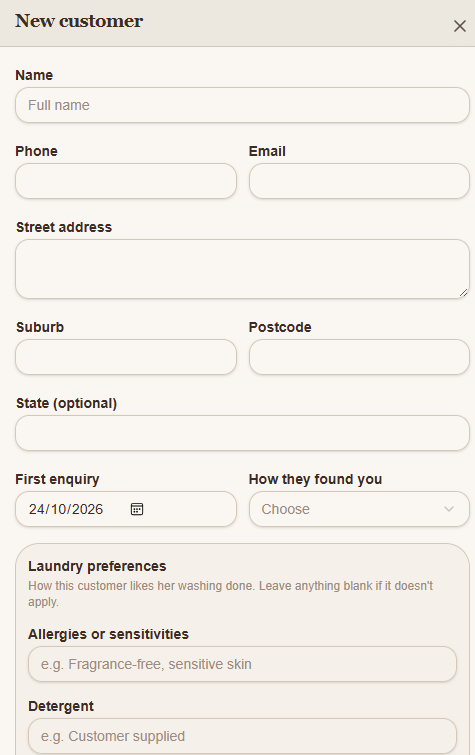
Enter the customer's Name.
Add their phone number, email address and delivery address.
Choose their First enquiry date and how they found your business, if known.
Record their laundry preferences
Scroll to Laundry preferences.
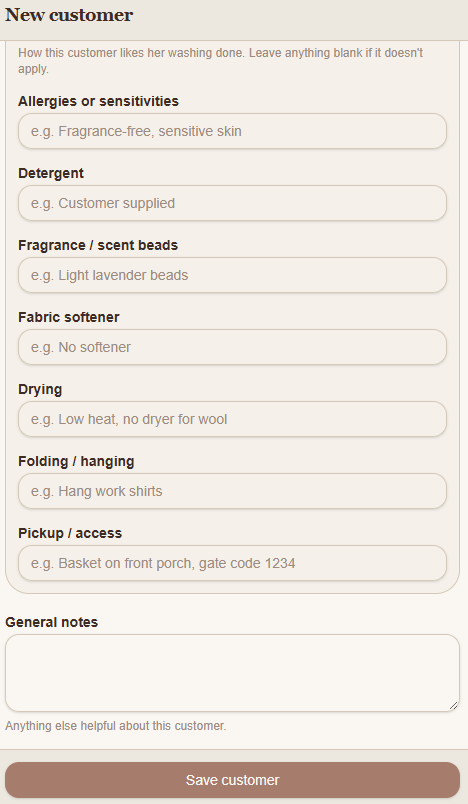
Here you can record any instructions specific to that customer, including:
Allergies or sensitivities: Fragrance-free washing or sensitive skin requirements.
Detergent: Their preferred detergent or whether they supply their own.
Fragrance / scent beads: Any preferences for laundry fragrance products.
Fabric softener: Whether they prefer softener or want it avoided.
Drying: Special drying instructions, such as low heat.
Folding / hanging: How they'd like their laundry returned.
Pickup / access: Collection instructions, such as where to leave their laundry.
Leave any fields blank if they don't apply.
Add general notes
Use General notes for anything else you'd like to remember about the customer.
Save the customer
Select Save customer at the bottom of the form.
Your customer will appear in Customers, where you can find their details again when creating or managing jobs.
Need help?
Still need a hand? Email us at support@snookapp.au and we'll be happy to help.