Article 29: How to reset your password
How to reset your password
Forgotten your Snook password? No worries. You can reset it in a few minutes using the email address linked to your account.
Request a password reset
Open the Snook sign-in page.
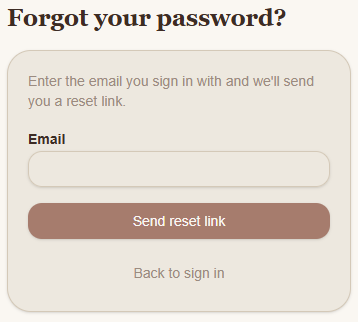
Click Forgot password? underneath the Sign in button.
Enter the email address you use for your Snook account.
Click Send reset link.
You'll see a confirmation message letting you know that a password reset email will be sent if an account exists with that email address.
The email may take a minute to arrive, so check your junk or spam folder if you don't see it.
Check your email
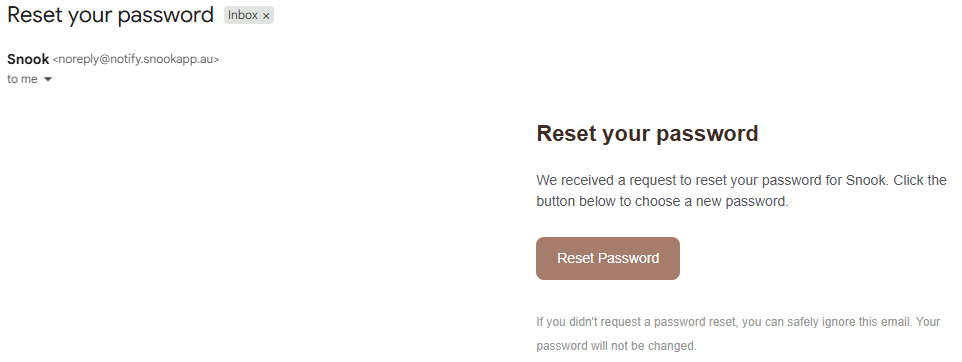
Look for an email from Snook with the subject Reset your password.
Open the email.
Click Reset Password.
You'll be taken to a page where you can choose a new password.
If you didn't request a password reset, you can safely ignore the email. Your password won't be changed.
Choose your new password
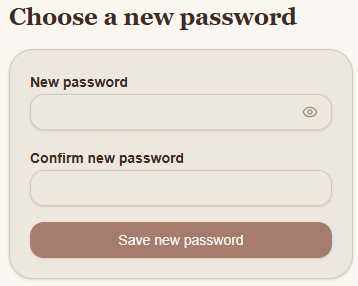
Enter your new password in the New password field.
Enter it again in Confirm new password.
Click Save new password.
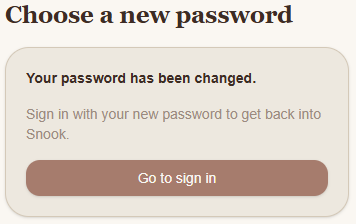
Once your password has been successfully updated, you'll see a confirmation message saying Your password has been changed.
Click Go to sign in and sign in to Snook using your email address and new password.
What if I don't receive the reset email?
Check that you've entered the same email address you used when creating your Snook account.
Have a look in your spam or junk folder, and allow a few minutes for the email to arrive.
If you still can't find it, return to the sign-in page and request another reset link.
Need help?
Still having trouble accessing your account? Email us at support@snookapp.au and we'll be happy to help.