Article 26: How to manage your Snook subscription
How to manage your Snook subscription
You can check your Snook subscription details, see when your next payment is due and manage your billing without needing to contact support.
Snook uses Stripe to securely manage subscriptions and payments.
Where to find your subscription
Sign in to Snook.
Select More from the menu.
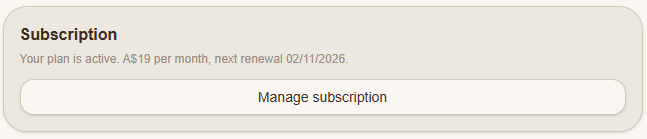
Scroll down to the Subscription section.
Click Manage subscription.
You'll be taken to Stripe's secure Customer Portal, where you can view and manage your subscription.
Understanding your subscription details
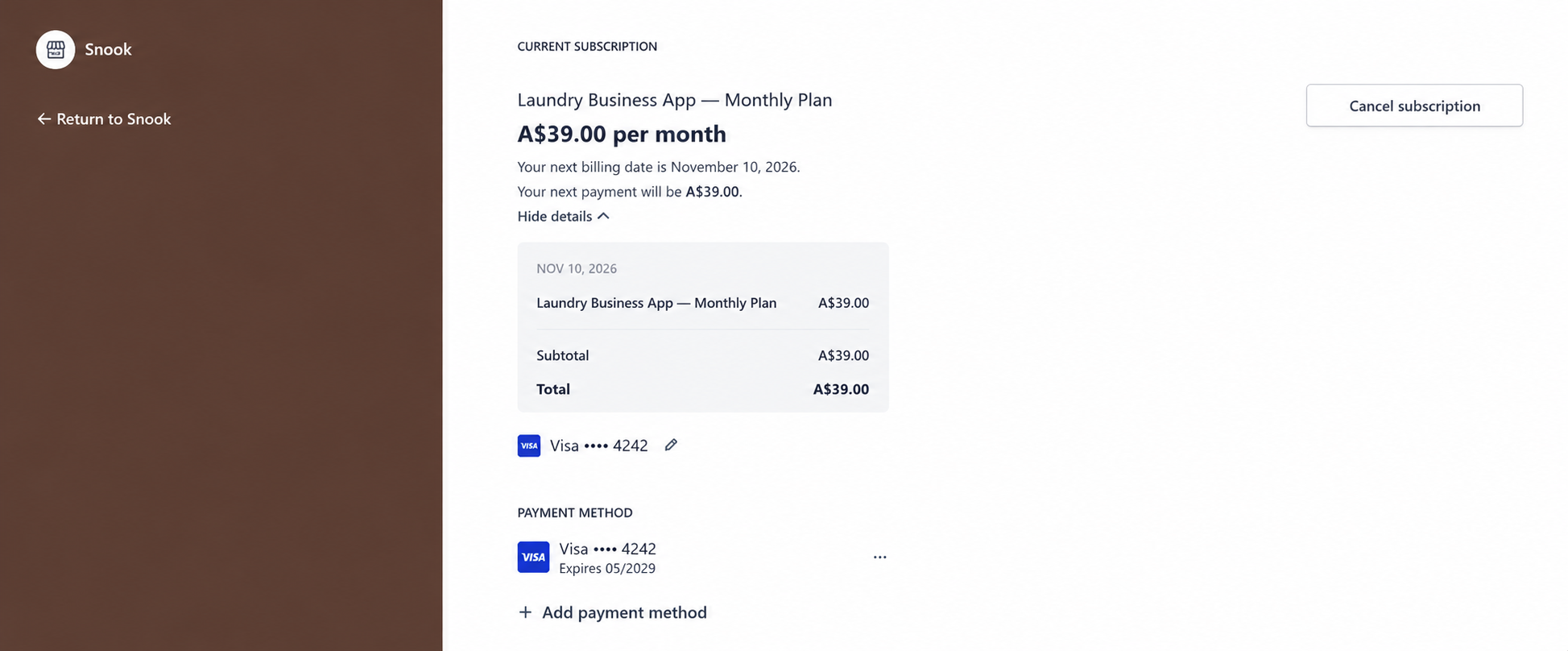
At the top of the Stripe Customer Portal, you'll see your current subscription.
This includes:
Your subscription plan and monthly price.
Your next billing date.
Your next estimated payment.
Any discounts or promotions applied to your subscription.
If you're still in your 14-day free trial, Snook will show when your trial ends.
If you're on the standard Snook plan, your subscription costs A$39 per month after your trial.
Managing your billing
From the Stripe Customer Portal, you can also:
Add or update your payment method.
Update your billing information.
View your previous invoices and receipts.
Cancel your subscription.
You can return to Snook using the return link in the Stripe portal.
What if my payment fails?
If your subscription payment doesn't go through, Snook will display a notification asking you to update your payment details.
You'll have a 7-day grace period to resolve the failed payment while keeping access to your account.
To update your payment:
Click Update payment in the notification, or open More → Subscription.
Select Update payment.
Follow the prompts in Stripe to update your payment method.
If the payment issue isn't resolved within the grace period, your account may move to read-only access.
Your business records won't be deleted. You'll still be able to view and export your information.
What happens if I cancel?
If you cancel your subscription, you'll keep full access until the end of your current billing period.
After that date, Snook becomes read-only.
You can still view your existing customers, jobs and reports, and export your business records. However, you won't be able to create or edit records until you reactivate your subscription.
Your public booking page will also be paused.
For step-by-step cancellation instructions, see How to cancel or reactivate your Snook subscription.
Need help?
Still need a hand? Email us at support@snookapp.au and we'll be happy to help.